CtrlDeck helps users create visual shortcut panels for their everyday computer actions. Instead of searching through menus, desktop icons, browser bookmarks or multiple windows, users can keep their most important actions visible and ready to launch.
CtrlDeck can be used to launch applications, open files and folders, access URLs, run commands, organize workflow shortcuts and reduce repetitive desktop actions. It is designed for creators, developers, editors, productivity users, support teams and anyone who repeats the same actions throughout the day.
CtrlDeck is not meant to replace advanced automation platforms. Its purpose is simpler and more practical: make repeated actions visible, organized and fast to trigger from one focused interface.
Main features:
- Create visual shortcut panels
- Launch apps, files, folders and URLs
- Run commands from one interface
- Organize repeated actions into clean panels
- Reduce repetitive clicking
- Keep important workflow actions visible
- Improve desktop productivity and workflow control
- Designed for Windows 10 and Windows 11
What’s new in version 1.0:
Initial public release of CtrlDeck, including visual shortcut panels, app/file/folder/URL shortcuts, command launching, action organization and license activation.
Special requirements:
[SPECIAL REQUIREMENTS - for example: No special requirements / The installer includes all required components / Microsoft .NET Runtime required] more
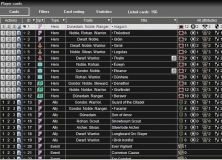


This app allows deck construction for The Lord of the Rings Living Card Game.








Comments